

Personalized Products Design Assistance: Expert Support for Custom Gifts

Personalized Products Design Assistance: Expert Support for Custom Gifts

Jan 3, 2026 by Iris POD e-Commerce 101

Personalized gifts have moved from a quirky niche to a serious growth engine for ecommerce brands. As on-demand printing and dropshipping tools mature, the bottleneck is no longer production. The bottleneck is design. Customers know they want something “custom,” but many do not know how to translate that into a design that looks professional, prints cleanly, and still ships on time.

As a mentor working with on-demand and personalization businesses, I see the same pattern repeatedly. Shops invest in great blanks, powerful print partners, and slick storefronts, yet they treat design assistance as an afterthought. The result is abandoned carts, confusing back‑and‑forth emails about files and fonts, and disappointing gifts that never turn into repeat orders.

Done well, design assistance becomes a competitive moat. It turns hesitant shoppers into confident creators and turns “just another mug” into a keepsake people show off for years. This article will walk you through what that support looks like in practice, how to structure it in an on-demand or dropshipping model, and how to keep it profitable as you scale.

The Market Signal: Why Design Help Matters More Than Ever

Multiple industry sources point in the same direction. MakerFlo notes that the personalized gifts market is nearing $4 billion, with roughly half of Gen Z and millennials planning to give a personalized gift in 2023. Printbox reports projections of around $43.3 billion for the global personalized gifts market by 2027. Printxpand cites figures of roughly $30.75 billion in 2023 with expectations of about $53.95 billion by 2032.

Those numbers differ because they use different segments and methodologies, but the trend is consistent: demand for customized, story-driven products is rising fast.

Behind those numbers are two simple truths.

Customers crave meaning, not just merchandise. Articles from Thoughtful Presence, 4OVER4, and Little Obsessed all highlight the same emotional driver. Personalized gifts allow the giver to say, “I see you,” through names, dates, inside jokes, photos, and symbols that matter to the recipient. These act less like products and more like relationship tokens.

Customers are willing to pay for that meaning. MakerFlo’s research shows crafters successfully charging premium prices and margins on personalized tumblers, coasters, jewelry, and engraved items, often targeting profits of 30%–70%. PrintKK underscores that customers will pay a premium for gifts that feel uniquely tailored, especially for recurring occasions like weddings, anniversaries, and holidays.

However, meaning and margins only show up if the customer can actually design something that feels right. This is where structured design assistance earns its keep.

What Personalized Products Design Assistance Really Is

Design assistance is any support you provide to help a shopper transform an intent (“a custom gift for my sister who loves hiking”) into a print-ready, emotionally resonant product.

In on-demand and dropshipping stores, this typically falls into several overlapping models.

Self-serve design tools. Platforms like Kickflip and web‑to‑print solutions highlighted by Printxpand and Printbox offer online product configurators where customers change colors, upload photos, add text, and see real-time previews. Many modern tools support 3D views, mobile-friendly interfaces, and live pricing.

Template-based guidance. Canva’s personalized gifts experience, as well as many web‑to‑print editors, lean heavily on templates. Instead of staring at a blank canvas, customers choose layouts for photo books, calendars, mugs, or tote bags, then swap images and text. This drastically lowers the design barrier.

Guided “create your own” flows. Tahoe Gifting Co’s “Create Your Own” tool is a good example in the gift basket space. Customers are guided to pick categories like Kitchen & Pantry or Travel & Adventure, select at least two items, choose packaging, and add messages. It is design assistance framed as a structured shopping journey.

Human design services. Some businesses layer on actual design work: custom artwork, layout polishing, or engraving layout suggestions. Level Frames’ approach to custom artwork and framing, and bespoke wedding or event gifting services like Tahoe Gifting Co’s fully custom boxes, show how human input can transform a one-time order into a memorable experience.

To make the trade-offs clearer, consider a simple comparison.

Type of assistance

Description

Main advantages

Main drawbacks

Best fit for

Self-serve configurator

Customer designs on product mockups

Scales well, reduces back‑and‑forth, works with POD

Needs careful UX and guardrails

POD apparel, phone cases, home décor

Template library

Pre-designed layouts editable by customer

Faster decisions, more polished outcomes

Creativity feels constrained for some buyers

Photo books, cards, calendars, wall art

Guided “build a gift” tool

Stepwise selection of items and messages

Great for gift baskets and bundles, easier upsells

Still needs imagery and copy support

Gift boxes, hampers, corporate gifts

Human design help

Staff or freelancers refine or create designs

Highest perceived value, suits complex briefs

Labor-intensive, requires higher pricing

Corporate orders, weddings, premium art

Your goal as an ecommerce entrepreneur is not to choose one model in isolation but to combine them intelligently so that design feels easy for the customer and manageable for your operations.

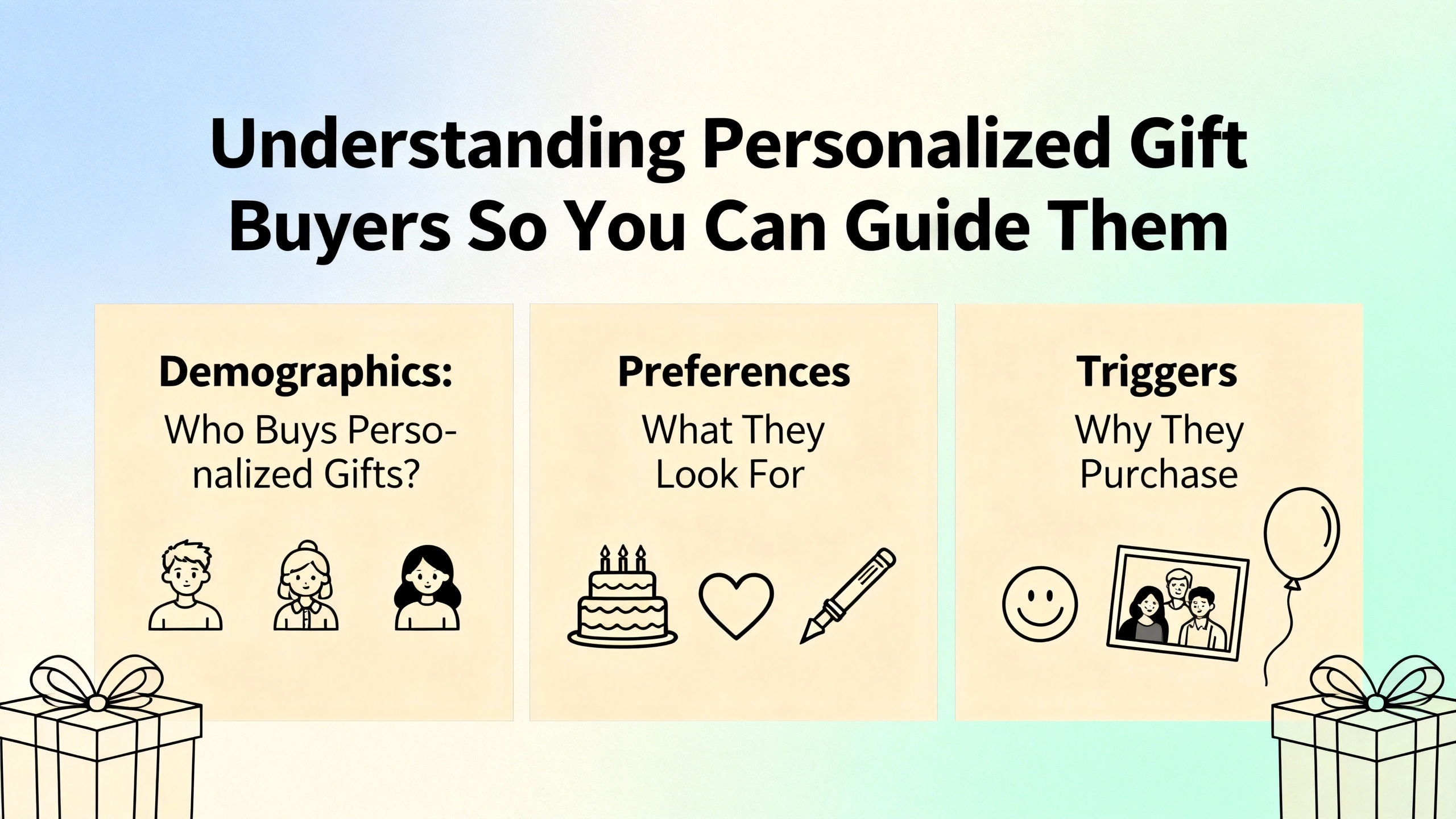
Understanding Personalized Gift Buyers So You Can Guide Them

Before you build any tool, you need to understand how buyers actually think about gifts.

Research summarized by Shadow Breeze, referencing a 2014 study in the Journal of Consumer Research, points out a consistent mismatch. Gift givers tend to chase desirability and the wow moment. Recipients, however, care more about long-term usefulness and emotional relevance. In the study, recipients preferred a practical gift card for a nearby restaurant over a more glamorous but inconvenient option.

Other sources, like Home Business Magazine and 4OVER4, echo this in the client and corporate gifting context. Personalization is most effective when it balances three things: the recipient’s interests, the sender’s relationship and brand, and actual everyday use.

Sites like Little Obsessed and Crafty Money Maker stress that the foundation of personalized gifting is knowing the recipient’s routines and preferences. That includes favorite colors, hobbies, collections, and shared experiences. Design assistance should make those connections obvious.

In practice, this means your configurators, templates, and sales copy should do more than list options. They should help shoppers answer questions such as:

Who is this really for and what do they do regularly? A pet owner might value a washable, personalized blanket more than a fragile decor item.

What memory or feeling should this gift capture? A framed map of a first date location, as described by Level Frames, carries very different meaning from a generic poster.

How will this be used day to day? Shadow Breeze highlights practical, personalized items like water tumblers and candles in curated crates that are both emotionally meaningful and genuinely useful.

When your design experience leads customers through these decisions, you are not just letting them “customize.” You are mentoring them into becoming thoughtful gifters, which dramatically boosts their confidence and your conversion rate.
Custom Gift Design Support Services

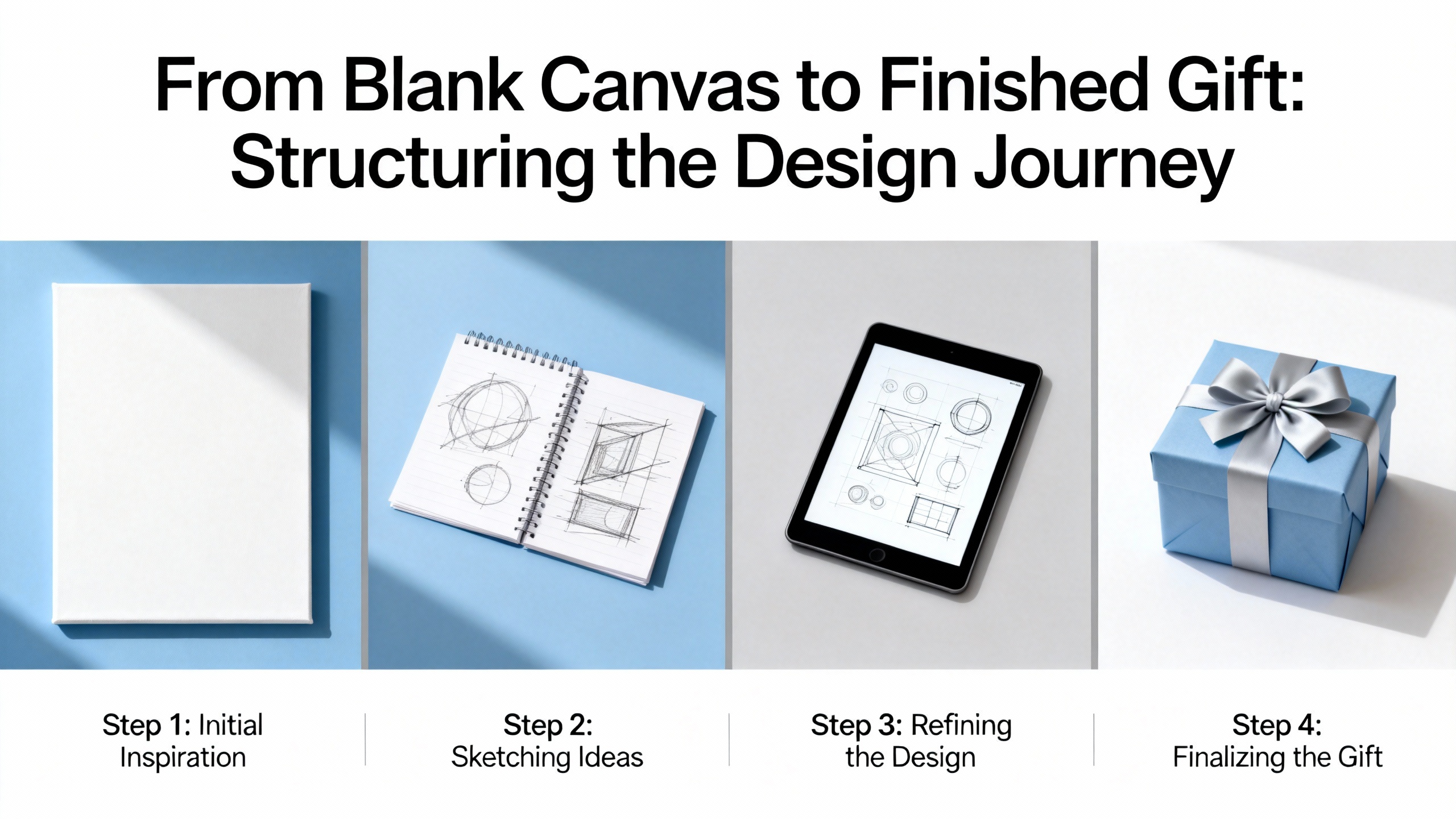
From Blank Canvas to Finished Gift: Structuring the Design Journey

Many of the entrepreneurs I mentor make the mistake of dumping every possible option onto one product page. Colors, fonts, upload fields, monograms, clip art, engraving positions, mockup angles, and urgency messages appear all at once. The intention is generous; the result is paralyzing.

Instead, think in stages.

First, narrow the emotional brief. Printbox and Printxpand both emphasize niche thinking at the business level: young families, pet lovers, wellness enthusiasts, and so on. Apply that same clarity at the product level. Frame your product in terms of the story it tells. For example, “A photo book that tells the story of your first year as parents” is easier to design for than “a photo book for any photos.” In configurators, you can use presets like “family story,” “pet memories,” or “travel highlights” to anchor the design.

Second, constrain the design surface thoughtfully. Shift4Shop recommends setting clear limits on personalization fields so production stays manageable. That might mean a maximum of two text lines, defined image areas, or a limited palette of colors that print reliably. Constraints are not anti-customer; they create guardrails that prevent ugly or unprintable designs.

Third, lean heavily on visual previews. Generative and imaging tools highlighted by Printbox, such as resolution validation and AI-based clarity enhancements, show how powerful a believable preview can be. If customers see their photo on a mug, blanket, or framed print in realistic lighting, they trust that the final product will match. Ideally, previews update as customers type text or change options, including price changes, as Printxpand recommends with live pricing.

Fourth, embed micro-guidance at point of decision. Instead of long help pages, sprinkle short prompts next to each field. For example, next to a name field you might say, “Many customers use nicknames or inside jokes here.” Next to an image upload field, add a note like, “Close-up faces work best; avoid very dark night photos.” This kind of guidance reflects the on-the-ground experience shared by crafters in MakerFlo’s community and by DIY-focused brands like TeckWrap, which constantly coach customers on which materials and surfaces work best.

Finally, offer a safety net for anxious buyers. This can be as simple as a small checkbox that says, “Yes, I’d like a designer to double-check my layout before printing,” with a realistic timeline and any extra fee. For corporate or high-value orders, providing a design proof with minor revisions included often pays for itself through larger order values and fewer reprints.
Print On Demand Design Strategies

Operational Realities: Keeping Design Assistance Profitable

From a distance, adding more design help can sound like an endless support obligation. The key is to structure your operations so that each layer of assistance has clear cost, scope, and payoff.

Print-on-demand and dropshipping models, described by PrintKK and Printxpand, are especially well suited to personalization because products are only produced after an order is placed. This keeps inventory risk low while you experiment with different design experiences.

However, personalization changes your cost structure. Shift4Shop points out that personalized items are difficult or impossible to resell if returned, so many stores tighten their return policies and slightly raise prices to offset occasional remakes. PrintKK reminds sellers to avoid underpricing; a mug that costs $5 to produce, pack, and ship should not be sold for $6 when you consider time and overhead.

MakerFlo’s pricing examples are useful benchmarks. Sublimation tumblers selling for 55 can yield 40 in profit per unit, and laser-engraved tumblers at 50 often reach 30%–40% profit margins. Rhinestone tumblers priced at 150 can produce 85 profit each when crafted efficiently. Those numbers make room for design assistance, but only if you plan for it.

In practice, consider three layers of cost.

Tooling and technology. This includes configurators, web‑to‑print editors, or app fees on platforms like Shopify. Providers such as Printxpand, PrintKK, and Shift4Shop integrate design tools, product pages, and order flows so that customized orders move smoothly to production.

Production time. Each additional text line, placement option, or design variation has a time cost. MakerFlo’s community advice about iterating until you find products that fit your skills and local demand applies strongly here. Standardize where you can: for example, limiting engraving to one side of a tumbler or offering three frame styles for custom art.

Human design labor. This is the subjective work: cleaning up photos, nudging layouts, or designing from scratch. For most small stores, the safest move is to keep this as a premium add-on or reserve it for high-volume corporate orders, as PrintKK suggests when discussing larger corporate gifting deals.

If you put clear boundaries around each layer, design assistance becomes an investment, not an uncontrolled cost.
Ecommerce Personalized Product Solutions

Real-World Models of Design Assistance You Can Learn From

Several of the sources in your research offer instructive patterns you can adapt.

Tahoe Gifting Co uses a highly guided, modular approach. Their “Create Your Own” tool guides customers through selecting artisan products, many of which can be laser-engraved or embossed, and then choosing packaging such as wooden boxes or baskets. Rather than letting customers design from scratch, they define a curated universe of products and surfaces that their team knows how to personalize efficiently. They also emphasize handwritten notes, written on cards by local artists, which doubles as emotional design assistance: they help the sender “say it right.”

Level Frames illustrates a hybrid model for custom art and framing. Customers commission cartoons, pet portraits, home illustrations, or custom maps from artists, then upload the digital files to an online framing interface with guided choices. The design burden is shared. The artist handles the core illustration, while the framing interface constrains frame, mat, and size choices into combinations that ship well and look polished. The customer still feels in control but never stares at a blank design tool.

DIY-focused brands like TeckWrap Craft and Crafty Money Maker take another route. Their content serves as asynchronous design mentorship, teaching customers how to personalize mugs, laptop bags, kitchen towels, cutting boards, and even bath-bomb gift sets using vinyl, heat transfer materials, and sublimation. Instead of building complex online configurators, they equip customers with techniques, recipes, and visual inspiration published in tutorials, then rely on shoppers to execute at home. If you sell supplies rather than finished goods, this content-first design assistance becomes your differentiator.

At scale, platforms like Canva and Printful demonstrate the power of combining templates, visual previews, and straightforward checkout. Canva lets users design notebooks, mugs, calendars, apparel, and photo gifts using familiar drag-and-drop tools, then print and ship those items. Printful’s personalized iPhone cases and other items are backed by real customer reviews praising print quality, fit, and value, which act as social proof that the underlying design tools produce professional results.

The common thread across all of these examples is intentional constraint. None of them invite customers to upload anything, place it anywhere, in any color, for any occasion. They wrap personalization inside curated choices, pre-built layouts, and clear expectations about what will look good and print correctly.

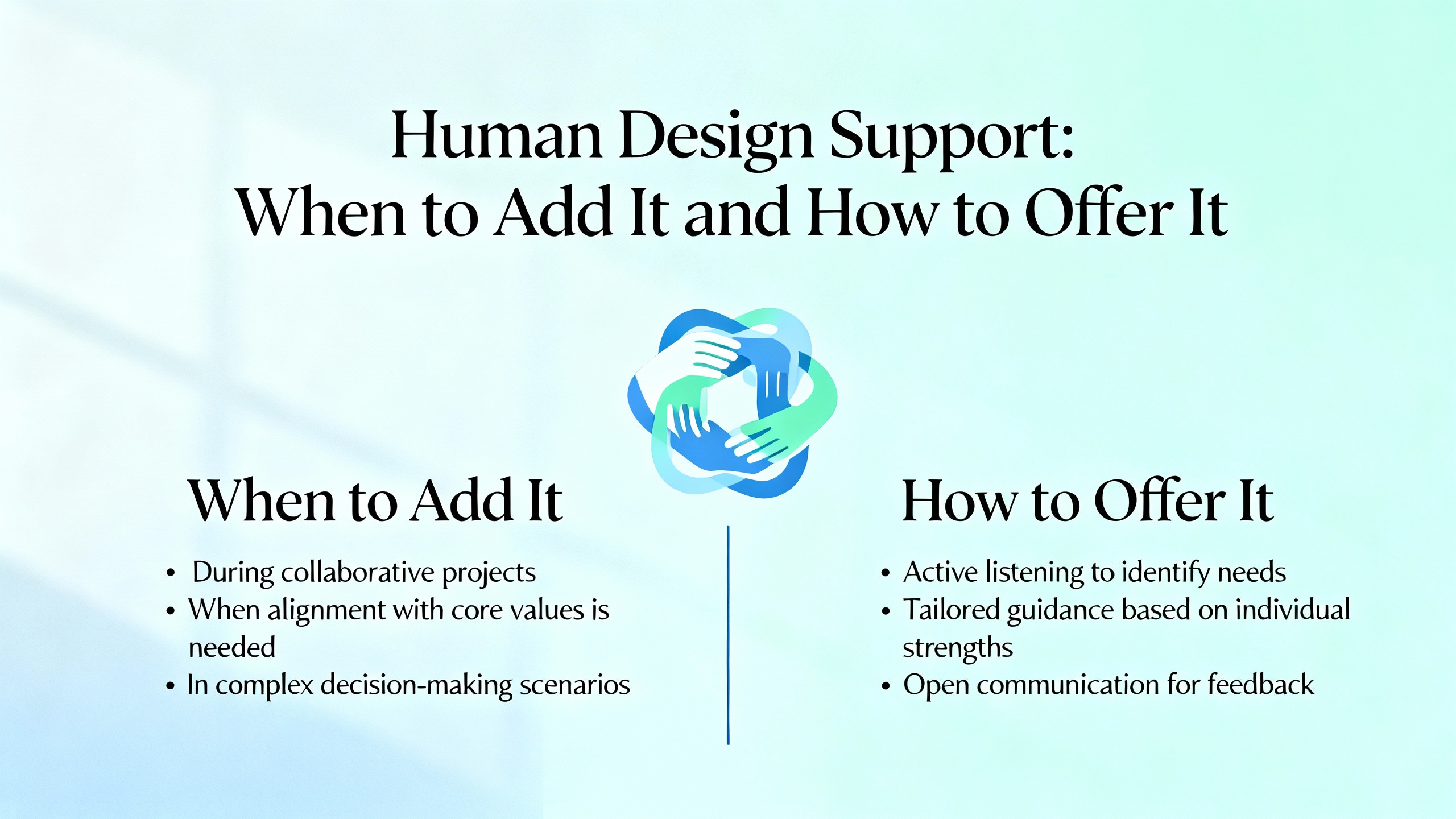
Human Design Support: When to Add It and How to Offer It

Technology alone cannot handle every edge case. There are moments when a human designer or support agent is the difference between losing a frustrated buyer and landing a high-value order.

From mentoring dozens of small personalization brands, I tend to recommend human design help in three scenarios.

You are targeting corporate or bulk orders. Articles from Home Business Magazine and PrintKK emphasize the value of client and corporate gifting. These buyers often need guidance matching gifts to brand identity, events, and budgets. Offering a short design consultation, layout mockups for approval, and curated gift sets can lead to recurring orders for holidays, employee recognition, or events.

You sell complex, story-driven products. Printbox describes photo books, puzzles, blankets, and wall art that tell multi-layer stories. When customers are turning life events—weddings, memorials, multi-year family albums—into products, they may want advice on image selection, sequencing, and captions. A light-touch design service with clear limits on revision rounds can justify higher price points.

You want to stand out in a premium niche. Markets like high-end jewelry, laser-engraved heirlooms, or fully bespoke gift boxes (as Tahoe Gifting Co offers for weddings and events) often benefit from a more concierge-style experience. A human designer who helps capture handwriting, select fonts, and refine symbolism reinforces the feeling that this gift is truly one-of-a-kind.

The key is to scope human involvement clearly. Define what is included, how long it takes, and how much it costs. For example, you might offer one layout proof and one round of minor edits within two business days, or include design support only for orders above a set dollar threshold. This keeps your team out of never-ending revision cycles while still delivering a premium experience.
Helping Customers Design Custom Gifts

Measuring Whether Your Design Assistance Is Working

In a personalized products business, good design assistance should show up clearly in your numbers and your inbox.

You should see stronger conversion rates on personalized products. When configurators and templates reduce confusion, more customers reach checkout. Comparing the conversion rate of products with modern design tools to those with basic text fields is a simple way to quantify impact.

Average order value tends to increase. Guided bundles, upsell prompts for matching items, and curated gift sets like those highlighted by Tahoe Gifting Co and Shadow Breeze often nudge buyers to add complementary products. Design assistance that naturally leads to coordinating items can raise the value of each cart.

Support tickets and reprint requests can go down. Printxpand and Printbox both emphasize the value of real-time previews and resolution checks in reducing errors. If you track order issues attributable to “design problems,” you should expect those to decline once customers get better guidance and clearer previews.

Repeat purchase rates and reviews will tell you whether you are actually helping people give gifts that land well. Many of the sources you reviewed stress emotional resonance and practicality—if your design experience helps shoppers hit that balance, you will see grateful reviews and repeat buyer behavior, especially around recurring occasions like birthdays and holidays.

Common Pitfalls to Avoid When Offering Design Assistance

Even with the best tools, there are traps that can quietly erode your margins and your customer goodwill.

One common pitfall is over-complicating options. Shift4Shop warns about the production challenges that come with unlimited customization. Every extra font, placement, or material combination is another scenario that can go wrong. Start simple, add complexity gradually, and retire options that cause errors or slowdowns.

Another risk is ignoring mobile behavior. Printbox, Printxpand, and related providers all stress mobile-first ecommerce. Many customers design on their cell phones while commuting or relaxing on the couch. If your configurator only works well on a desktop screen, you are quietly excluding a large segment of buyers.

Under-communicating production timelines and return policies is also costly. Because personalized products are made to order and often non-returnable, as Shift4Shop notes, you need to be upfront about production time, shipping windows, and what happens if a customer submits a low-quality photo. Clear policies, visible before checkout, avoid difficult conversations later.

Finally, do not rely on customers to know what “good print-ready art” looks like. Makers in communities like MakerFlo’s and TeckWrap’s social channels spend a lot of time educating on file types, image resolution, and material suitability. Your design assistance should do the same proactively, rather than using support tickets as an expensive education channel after orders go wrong.

A Practical Roadmap to Upgrade Your Design Assistance

If you are building or improving a personalized gift store right now, you do not need a complete overhaul overnight. You can layer design assistance in phases.

In the early weeks, clarify your niche and core products based on the research you have seen. Decide whether you are primarily a photo gift brand, a laser-engraved accessories shop, a wellness and self-care gifter, or something else. Then, for each flagship product, define a simple emotional story it serves. That narrative will inform your templates, mockups, and product copy.

In the next phase, choose and implement a design tool that matches your technical comfort and business model. If you are on platforms like Shopify or similar, consider a web‑to‑print solution or visual product configurator that integrates directly into your storefront as described by Printxpand, PrintKK, and Shift4Shop. If your brand is more DIY and craft-based, focus instead on tutorial content, printable guides, and inspiration boards like TeckWrap and Crafty Money Maker.

Once the basic tool is in place, invest time in templates, presets, and microcopy. Templates are where the real magic happens; they embed your expertise into reusable layouts. Start with key occasions and audiences: birthdays, weddings, corporate thank‑you gifts, or pet lovers. Then, refine your prompts and guidance so that customers feel gently led, not overwhelmed.

After a few months, revisit your metrics and listen carefully to customer feedback. Look for friction points, such as fields customers frequently leave blank, designs that lead to complaints, or steps where carts are abandoned. Use those insights to simplify options, adjust constraints, and decide whether it is time to add a human design layer for higher-value orders.

Above all, remember that design assistance is not a one-time feature launch. It is an ongoing conversation between your expertise, your tools, and your customers’ evolving tastes.

FAQ: Common Questions About Design Assistance for Custom Gifts

Do I need a professional designer on staff to offer design assistance?

Not necessarily. Many successful small brands start with strong templates, a good product configurator, and clear guidance rooted in practical experience rather than formal design training. You can always bring in a freelance designer later to polish your most-used templates or handle premium commissions. Focus first on simple, constrained choices that reliably produce attractive results.

How much customization is “enough” for customers?

Research from multiple sources suggests that people value relevance more than endless options. A name, an important date, and a photo or symbol tied to a shared memory often feel more meaningful than dozens of fonts and clip art choices. If your design experience helps buyers express that small set of meaningful details easily, you are offering enough.

Can design assistance work in a pure dropshipping model?

Yes, as long as your suppliers can reliably fulfill personalized orders. Print-on-demand services such as those highlighted by Printfullike providers and platforms noted by PrintKK and Printxpand are essentially dropshippers with built-in personalization capacity. Your job is to layer a customer-friendly design experience on top of their production capabilities and to ensure your previews and options match what your partners can deliver.

Thoughtful personalization is no longer optional in the custom gift space; it is the price of entry. The real advantage comes from how intelligently you guide customers through the design journey. When you combine curated options, smart tools, and focused human support, you do more than decorate products. You help your buyers tell better stories about the people who matter to them—and that, ultimately, is what keeps them coming back to your store.

References

  1. https://www.personalcreations.com/?srsltid=AfmBOooUS5BXTtggXzAMXRc9RyGG-RTSl4K97sBMegi_JbFH_8q_OI2p
  2. https://www.printful.com/personalized-gifts
  3. https://www.thingsremembered.com/
  4. https://www.craftymoneymaker.com/how-to-create-personalized-crafts-for-gifts/
  5. https://smart.dhgate.com/crafting-the-most-successful-gift-basket-business-ideas-tips/
  6. https://gokickflip.com/blog/custom-gifts-ideas
  7. https://www.levelframes.com/blog/custom-framing-ideas-for-customized-portraits-and-gifts?srsltid=AfmBOoqYZ4ZJZT_wFf-bxckD_3phs-qbJNaGeiySnZBn5iAFyqxU5LII
  8. https://www.shift4shop.com/ecommerce-website/how-to-build-a-personalized-gifts-ecommerce-website.html
  9. https://www.4over4.com/content-hub/stories/personalized-gifts-idea-that-will-make-their-special-day?srsltid=AfmBOopJ4IF_r576PqzVL7BksAoDU1buS-wdRO_2_ARttyu9sgglSn3t
  10. https://www.canva.com/learn/custom-gift-ideas-friends-family/

Like the article

0
Personalized Products Design Assistance: Expert Support for Custom Gifts

Personalized Products Design Assistance: Expert Support for Custom Gifts

Personalized gifts have moved from a quirky niche to a serious growth engine for ecommerce brands. As on-demand printing and dropshipping tools mature, the bottleneck is no longer production. The bottleneck is design. Customers know they want something “custom,” but many do not know how to translate that into a design that looks professional, prints cleanly, and still ships on time.

As a mentor working with on-demand and personalization businesses, I see the same pattern repeatedly. Shops invest in great blanks, powerful print partners, and slick storefronts, yet they treat design assistance as an afterthought. The result is abandoned carts, confusing back‑and‑forth emails about files and fonts, and disappointing gifts that never turn into repeat orders.

Done well, design assistance becomes a competitive moat. It turns hesitant shoppers into confident creators and turns “just another mug” into a keepsake people show off for years. This article will walk you through what that support looks like in practice, how to structure it in an on-demand or dropshipping model, and how to keep it profitable as you scale.

The Market Signal: Why Design Help Matters More Than Ever

Multiple industry sources point in the same direction. MakerFlo notes that the personalized gifts market is nearing $4 billion, with roughly half of Gen Z and millennials planning to give a personalized gift in 2023. Printbox reports projections of around $43.3 billion for the global personalized gifts market by 2027. Printxpand cites figures of roughly $30.75 billion in 2023 with expectations of about $53.95 billion by 2032.

Those numbers differ because they use different segments and methodologies, but the trend is consistent: demand for customized, story-driven products is rising fast.

Behind those numbers are two simple truths.

Customers crave meaning, not just merchandise. Articles from Thoughtful Presence, 4OVER4, and Little Obsessed all highlight the same emotional driver. Personalized gifts allow the giver to say, “I see you,” through names, dates, inside jokes, photos, and symbols that matter to the recipient. These act less like products and more like relationship tokens.

Customers are willing to pay for that meaning. MakerFlo’s research shows crafters successfully charging premium prices and margins on personalized tumblers, coasters, jewelry, and engraved items, often targeting profits of 30%–70%. PrintKK underscores that customers will pay a premium for gifts that feel uniquely tailored, especially for recurring occasions like weddings, anniversaries, and holidays.

However, meaning and margins only show up if the customer can actually design something that feels right. This is where structured design assistance earns its keep.

What Personalized Products Design Assistance Really Is

Design assistance is any support you provide to help a shopper transform an intent (“a custom gift for my sister who loves hiking”) into a print-ready, emotionally resonant product.

In on-demand and dropshipping stores, this typically falls into several overlapping models.

Self-serve design tools. Platforms like Kickflip and web‑to‑print solutions highlighted by Printxpand and Printbox offer online product configurators where customers change colors, upload photos, add text, and see real-time previews. Many modern tools support 3D views, mobile-friendly interfaces, and live pricing.

Template-based guidance. Canva’s personalized gifts experience, as well as many web‑to‑print editors, lean heavily on templates. Instead of staring at a blank canvas, customers choose layouts for photo books, calendars, mugs, or tote bags, then swap images and text. This drastically lowers the design barrier.

Guided “create your own” flows. Tahoe Gifting Co’s “Create Your Own” tool is a good example in the gift basket space. Customers are guided to pick categories like Kitchen & Pantry or Travel & Adventure, select at least two items, choose packaging, and add messages. It is design assistance framed as a structured shopping journey.

Human design services. Some businesses layer on actual design work: custom artwork, layout polishing, or engraving layout suggestions. Level Frames’ approach to custom artwork and framing, and bespoke wedding or event gifting services like Tahoe Gifting Co’s fully custom boxes, show how human input can transform a one-time order into a memorable experience.

To make the trade-offs clearer, consider a simple comparison.

Type of assistance

Description

Main advantages

Main drawbacks

Best fit for

Self-serve configurator

Customer designs on product mockups

Scales well, reduces back‑and‑forth, works with POD

Needs careful UX and guardrails

POD apparel, phone cases, home décor

Template library

Pre-designed layouts editable by customer

Faster decisions, more polished outcomes

Creativity feels constrained for some buyers

Photo books, cards, calendars, wall art

Guided “build a gift” tool

Stepwise selection of items and messages

Great for gift baskets and bundles, easier upsells

Still needs imagery and copy support

Gift boxes, hampers, corporate gifts

Human design help

Staff or freelancers refine or create designs

Highest perceived value, suits complex briefs

Labor-intensive, requires higher pricing

Corporate orders, weddings, premium art

Your goal as an ecommerce entrepreneur is not to choose one model in isolation but to combine them intelligently so that design feels easy for the customer and manageable for your operations.

Understanding Personalized Gift Buyers So You Can Guide Them

Before you build any tool, you need to understand how buyers actually think about gifts.

Research summarized by Shadow Breeze, referencing a 2014 study in the Journal of Consumer Research, points out a consistent mismatch. Gift givers tend to chase desirability and the wow moment. Recipients, however, care more about long-term usefulness and emotional relevance. In the study, recipients preferred a practical gift card for a nearby restaurant over a more glamorous but inconvenient option.

Other sources, like Home Business Magazine and 4OVER4, echo this in the client and corporate gifting context. Personalization is most effective when it balances three things: the recipient’s interests, the sender’s relationship and brand, and actual everyday use.

Sites like Little Obsessed and Crafty Money Maker stress that the foundation of personalized gifting is knowing the recipient’s routines and preferences. That includes favorite colors, hobbies, collections, and shared experiences. Design assistance should make those connections obvious.

In practice, this means your configurators, templates, and sales copy should do more than list options. They should help shoppers answer questions such as:

Who is this really for and what do they do regularly? A pet owner might value a washable, personalized blanket more than a fragile decor item.

What memory or feeling should this gift capture? A framed map of a first date location, as described by Level Frames, carries very different meaning from a generic poster.

How will this be used day to day? Shadow Breeze highlights practical, personalized items like water tumblers and candles in curated crates that are both emotionally meaningful and genuinely useful.

When your design experience leads customers through these decisions, you are not just letting them “customize.” You are mentoring them into becoming thoughtful gifters, which dramatically boosts their confidence and your conversion rate.

Custom Gift Design Support Services

From Blank Canvas to Finished Gift: Structuring the Design Journey

Many of the entrepreneurs I mentor make the mistake of dumping every possible option onto one product page. Colors, fonts, upload fields, monograms, clip art, engraving positions, mockup angles, and urgency messages appear all at once. The intention is generous; the result is paralyzing.

Instead, think in stages.

First, narrow the emotional brief. Printbox and Printxpand both emphasize niche thinking at the business level: young families, pet lovers, wellness enthusiasts, and so on. Apply that same clarity at the product level. Frame your product in terms of the story it tells. For example, “A photo book that tells the story of your first year as parents” is easier to design for than “a photo book for any photos.” In configurators, you can use presets like “family story,” “pet memories,” or “travel highlights” to anchor the design.

Second, constrain the design surface thoughtfully. Shift4Shop recommends setting clear limits on personalization fields so production stays manageable. That might mean a maximum of two text lines, defined image areas, or a limited palette of colors that print reliably. Constraints are not anti-customer; they create guardrails that prevent ugly or unprintable designs.

Third, lean heavily on visual previews. Generative and imaging tools highlighted by Printbox, such as resolution validation and AI-based clarity enhancements, show how powerful a believable preview can be. If customers see their photo on a mug, blanket, or framed print in realistic lighting, they trust that the final product will match. Ideally, previews update as customers type text or change options, including price changes, as Printxpand recommends with live pricing.

Fourth, embed micro-guidance at point of decision. Instead of long help pages, sprinkle short prompts next to each field. For example, next to a name field you might say, “Many customers use nicknames or inside jokes here.” Next to an image upload field, add a note like, “Close-up faces work best; avoid very dark night photos.” This kind of guidance reflects the on-the-ground experience shared by crafters in MakerFlo’s community and by DIY-focused brands like TeckWrap, which constantly coach customers on which materials and surfaces work best.

Finally, offer a safety net for anxious buyers. This can be as simple as a small checkbox that says, “Yes, I’d like a designer to double-check my layout before printing,” with a realistic timeline and any extra fee. For corporate or high-value orders, providing a design proof with minor revisions included often pays for itself through larger order values and fewer reprints.

Print On Demand Design Strategies

Operational Realities: Keeping Design Assistance Profitable

From a distance, adding more design help can sound like an endless support obligation. The key is to structure your operations so that each layer of assistance has clear cost, scope, and payoff.

Print-on-demand and dropshipping models, described by PrintKK and Printxpand, are especially well suited to personalization because products are only produced after an order is placed. This keeps inventory risk low while you experiment with different design experiences.

However, personalization changes your cost structure. Shift4Shop points out that personalized items are difficult or impossible to resell if returned, so many stores tighten their return policies and slightly raise prices to offset occasional remakes. PrintKK reminds sellers to avoid underpricing; a mug that costs $5 to produce, pack, and ship should not be sold for $6 when you consider time and overhead.

MakerFlo’s pricing examples are useful benchmarks. Sublimation tumblers selling for 55 can yield 40 in profit per unit, and laser-engraved tumblers at 50 often reach 30%–40% profit margins. Rhinestone tumblers priced at 150 can produce 85 profit each when crafted efficiently. Those numbers make room for design assistance, but only if you plan for it.

In practice, consider three layers of cost.

Tooling and technology. This includes configurators, web‑to‑print editors, or app fees on platforms like Shopify. Providers such as Printxpand, PrintKK, and Shift4Shop integrate design tools, product pages, and order flows so that customized orders move smoothly to production.

Production time. Each additional text line, placement option, or design variation has a time cost. MakerFlo’s community advice about iterating until you find products that fit your skills and local demand applies strongly here. Standardize where you can: for example, limiting engraving to one side of a tumbler or offering three frame styles for custom art.

Human design labor. This is the subjective work: cleaning up photos, nudging layouts, or designing from scratch. For most small stores, the safest move is to keep this as a premium add-on or reserve it for high-volume corporate orders, as PrintKK suggests when discussing larger corporate gifting deals.

If you put clear boundaries around each layer, design assistance becomes an investment, not an uncontrolled cost.

Ecommerce Personalized Product Solutions

Real-World Models of Design Assistance You Can Learn From

Several of the sources in your research offer instructive patterns you can adapt.

Tahoe Gifting Co uses a highly guided, modular approach. Their “Create Your Own” tool guides customers through selecting artisan products, many of which can be laser-engraved or embossed, and then choosing packaging such as wooden boxes or baskets. Rather than letting customers design from scratch, they define a curated universe of products and surfaces that their team knows how to personalize efficiently. They also emphasize handwritten notes, written on cards by local artists, which doubles as emotional design assistance: they help the sender “say it right.”

Level Frames illustrates a hybrid model for custom art and framing. Customers commission cartoons, pet portraits, home illustrations, or custom maps from artists, then upload the digital files to an online framing interface with guided choices. The design burden is shared. The artist handles the core illustration, while the framing interface constrains frame, mat, and size choices into combinations that ship well and look polished. The customer still feels in control but never stares at a blank design tool.

DIY-focused brands like TeckWrap Craft and Crafty Money Maker take another route. Their content serves as asynchronous design mentorship, teaching customers how to personalize mugs, laptop bags, kitchen towels, cutting boards, and even bath-bomb gift sets using vinyl, heat transfer materials, and sublimation. Instead of building complex online configurators, they equip customers with techniques, recipes, and visual inspiration published in tutorials, then rely on shoppers to execute at home. If you sell supplies rather than finished goods, this content-first design assistance becomes your differentiator.

At scale, platforms like Canva and Printful demonstrate the power of combining templates, visual previews, and straightforward checkout. Canva lets users design notebooks, mugs, calendars, apparel, and photo gifts using familiar drag-and-drop tools, then print and ship those items. Printful’s personalized iPhone cases and other items are backed by real customer reviews praising print quality, fit, and value, which act as social proof that the underlying design tools produce professional results.

The common thread across all of these examples is intentional constraint. None of them invite customers to upload anything, place it anywhere, in any color, for any occasion. They wrap personalization inside curated choices, pre-built layouts, and clear expectations about what will look good and print correctly.

Human Design Support: When to Add It and How to Offer It

Technology alone cannot handle every edge case. There are moments when a human designer or support agent is the difference between losing a frustrated buyer and landing a high-value order.

From mentoring dozens of small personalization brands, I tend to recommend human design help in three scenarios.

You are targeting corporate or bulk orders. Articles from Home Business Magazine and PrintKK emphasize the value of client and corporate gifting. These buyers often need guidance matching gifts to brand identity, events, and budgets. Offering a short design consultation, layout mockups for approval, and curated gift sets can lead to recurring orders for holidays, employee recognition, or events.

You sell complex, story-driven products. Printbox describes photo books, puzzles, blankets, and wall art that tell multi-layer stories. When customers are turning life events—weddings, memorials, multi-year family albums—into products, they may want advice on image selection, sequencing, and captions. A light-touch design service with clear limits on revision rounds can justify higher price points.

You want to stand out in a premium niche. Markets like high-end jewelry, laser-engraved heirlooms, or fully bespoke gift boxes (as Tahoe Gifting Co offers for weddings and events) often benefit from a more concierge-style experience. A human designer who helps capture handwriting, select fonts, and refine symbolism reinforces the feeling that this gift is truly one-of-a-kind.

The key is to scope human involvement clearly. Define what is included, how long it takes, and how much it costs. For example, you might offer one layout proof and one round of minor edits within two business days, or include design support only for orders above a set dollar threshold. This keeps your team out of never-ending revision cycles while still delivering a premium experience.

Helping Customers Design Custom Gifts

Measuring Whether Your Design Assistance Is Working

In a personalized products business, good design assistance should show up clearly in your numbers and your inbox.

You should see stronger conversion rates on personalized products. When configurators and templates reduce confusion, more customers reach checkout. Comparing the conversion rate of products with modern design tools to those with basic text fields is a simple way to quantify impact.

Average order value tends to increase. Guided bundles, upsell prompts for matching items, and curated gift sets like those highlighted by Tahoe Gifting Co and Shadow Breeze often nudge buyers to add complementary products. Design assistance that naturally leads to coordinating items can raise the value of each cart.

Support tickets and reprint requests can go down. Printxpand and Printbox both emphasize the value of real-time previews and resolution checks in reducing errors. If you track order issues attributable to “design problems,” you should expect those to decline once customers get better guidance and clearer previews.

Repeat purchase rates and reviews will tell you whether you are actually helping people give gifts that land well. Many of the sources you reviewed stress emotional resonance and practicality—if your design experience helps shoppers hit that balance, you will see grateful reviews and repeat buyer behavior, especially around recurring occasions like birthdays and holidays.

Common Pitfalls to Avoid When Offering Design Assistance

Even with the best tools, there are traps that can quietly erode your margins and your customer goodwill.

One common pitfall is over-complicating options. Shift4Shop warns about the production challenges that come with unlimited customization. Every extra font, placement, or material combination is another scenario that can go wrong. Start simple, add complexity gradually, and retire options that cause errors or slowdowns.

Another risk is ignoring mobile behavior. Printbox, Printxpand, and related providers all stress mobile-first ecommerce. Many customers design on their cell phones while commuting or relaxing on the couch. If your configurator only works well on a desktop screen, you are quietly excluding a large segment of buyers.

Under-communicating production timelines and return policies is also costly. Because personalized products are made to order and often non-returnable, as Shift4Shop notes, you need to be upfront about production time, shipping windows, and what happens if a customer submits a low-quality photo. Clear policies, visible before checkout, avoid difficult conversations later.

Finally, do not rely on customers to know what “good print-ready art” looks like. Makers in communities like MakerFlo’s and TeckWrap’s social channels spend a lot of time educating on file types, image resolution, and material suitability. Your design assistance should do the same proactively, rather than using support tickets as an expensive education channel after orders go wrong.

A Practical Roadmap to Upgrade Your Design Assistance

If you are building or improving a personalized gift store right now, you do not need a complete overhaul overnight. You can layer design assistance in phases.

In the early weeks, clarify your niche and core products based on the research you have seen. Decide whether you are primarily a photo gift brand, a laser-engraved accessories shop, a wellness and self-care gifter, or something else. Then, for each flagship product, define a simple emotional story it serves. That narrative will inform your templates, mockups, and product copy.

In the next phase, choose and implement a design tool that matches your technical comfort and business model. If you are on platforms like Shopify or similar, consider a web‑to‑print solution or visual product configurator that integrates directly into your storefront as described by Printxpand, PrintKK, and Shift4Shop. If your brand is more DIY and craft-based, focus instead on tutorial content, printable guides, and inspiration boards like TeckWrap and Crafty Money Maker.

Once the basic tool is in place, invest time in templates, presets, and microcopy. Templates are where the real magic happens; they embed your expertise into reusable layouts. Start with key occasions and audiences: birthdays, weddings, corporate thank‑you gifts, or pet lovers. Then, refine your prompts and guidance so that customers feel gently led, not overwhelmed.

After a few months, revisit your metrics and listen carefully to customer feedback. Look for friction points, such as fields customers frequently leave blank, designs that lead to complaints, or steps where carts are abandoned. Use those insights to simplify options, adjust constraints, and decide whether it is time to add a human design layer for higher-value orders.

Above all, remember that design assistance is not a one-time feature launch. It is an ongoing conversation between your expertise, your tools, and your customers’ evolving tastes.

FAQ: Common Questions About Design Assistance for Custom Gifts

Do I need a professional designer on staff to offer design assistance?

Not necessarily. Many successful small brands start with strong templates, a good product configurator, and clear guidance rooted in practical experience rather than formal design training. You can always bring in a freelance designer later to polish your most-used templates or handle premium commissions. Focus first on simple, constrained choices that reliably produce attractive results.

How much customization is “enough” for customers?

Research from multiple sources suggests that people value relevance more than endless options. A name, an important date, and a photo or symbol tied to a shared memory often feel more meaningful than dozens of fonts and clip art choices. If your design experience helps buyers express that small set of meaningful details easily, you are offering enough.

Can design assistance work in a pure dropshipping model?

Yes, as long as your suppliers can reliably fulfill personalized orders. Print-on-demand services such as those highlighted by Printfullike providers and platforms noted by PrintKK and Printxpand are essentially dropshippers with built-in personalization capacity. Your job is to layer a customer-friendly design experience on top of their production capabilities and to ensure your previews and options match what your partners can deliver.

Thoughtful personalization is no longer optional in the custom gift space; it is the price of entry. The real advantage comes from how intelligently you guide customers through the design journey. When you combine curated options, smart tools, and focused human support, you do more than decorate products. You help your buyers tell better stories about the people who matter to them—and that, ultimately, is what keeps them coming back to your store.

References

  1. https://www.personalcreations.com/?srsltid=AfmBOooUS5BXTtggXzAMXRc9RyGG-RTSl4K97sBMegi_JbFH_8q_OI2p
  2. https://www.printful.com/personalized-gifts
  3. https://www.thingsremembered.com/
  4. https://www.craftymoneymaker.com/how-to-create-personalized-crafts-for-gifts/
  5. https://smart.dhgate.com/crafting-the-most-successful-gift-basket-business-ideas-tips/
  6. https://gokickflip.com/blog/custom-gifts-ideas
  7. https://www.levelframes.com/blog/custom-framing-ideas-for-customized-portraits-and-gifts?srsltid=AfmBOoqYZ4ZJZT_wFf-bxckD_3phs-qbJNaGeiySnZBn5iAFyqxU5LII
  8. https://www.shift4shop.com/ecommerce-website/how-to-build-a-personalized-gifts-ecommerce-website.html
  9. https://www.4over4.com/content-hub/stories/personalized-gifts-idea-that-will-make-their-special-day?srsltid=AfmBOopJ4IF_r576PqzVL7BksAoDU1buS-wdRO_2_ARttyu9sgglSn3t
  10. https://www.canva.com/learn/custom-gift-ideas-friends-family/
Like the article

0